Support ticket automation (often called help desk automation) means rules, workflows and AI that do the repetitive work on a ticket: classifying it, setting priority, routing it, answering routine questions and updating records. For a B2B SaaS company with 20 to 200 people, it pays when it reads clean customer data and has a named owner. It fails when it is a tool switched on inside the help desk with nobody accountable for what it does.
This guide covers what to automate first, where AI does not belong, how to connect your CRM and finance data, how to measure the result, and what European rules mean for the design.
TL;DR
- Automate in this order: intake and routing with rules, then recurring answers grounded in approved knowledge, then record updates and access requests within permissions.
- Ticket automation is only as accurate as the customer, contract and plan data it reads. Fix the data foundation before you add AI.
- Keep people on billing disputes, churn risk, security incidents, outage communication and anything with legal or similarly significant effects on an individual.
- Start with 5 to 10 high-volume request types, keep AI replies in draft for a few weeks, and measure verified resolutions, not deflection.
- In Europe, treat GDPR and the EU AI Act as design requirements: disclose AI contact, keep human intervention available, and govern your processors by contract.
Table of Contents
- What support ticket automation actually covers
- Which tasks belong to rules, AI or a person
- Where AI does not belong
- Start with the data, not the chatbot
- A rollout sequence that holds up
- What to measure
- What European rules mean for the design
- Our perspective
- How NordOps Consulting can help
- FAQ
- Sources
What support ticket automation actually covers
A ticketing system turns incoming requests into trackable records and manages them to resolution. A help desk is the wider environment: the ticketing tool, the channels, the knowledge base and the agents. Automation is the layer on top. It acts on tickets without a person touching each one.
In practice that layer has five jobs:
- Intake: creating a clean ticket from email, chat, a form or an in-app message, with the right account attached.
- Classification: deciding what the ticket is about, how urgent it is and how it should be tagged.
- Routing: sending it to the right queue or person, with the right service-level agreement (SLA, the response and resolution time you have promised).
- Response: answering routine questions, drafting replies for agents, sending follow-ups.
- Resolution and closure: updating records, provisioning access, closing stale tickets, triggering processes in other systems.
Most SaaS teams already have the first three half-built as macros and triggers. The gap appears at jobs four and five, where the automation has to know who the customer is, what they pay for and what they are allowed to do. That knowledge lives in your CRM and finance systems, not in the help desk.
Which tasks belong to rules, AI or a person
The most common mistake is to use AI for everything, or to use rules for things that need judgment. A simple split works well.
| Task | Best handled by | Why |
|---|---|---|
| Routing by plan tier, region, language, product area | Rules | The signals are structured and the outcome must be predictable and auditable |
| SLA timers, escalation alerts, stale-ticket reminders | Rules | Deterministic; a wrong guess has a direct cost |
| Reading free-text tickets to suggest category, sentiment, urgency | AI | The input is unstructured |
| Answering a recurring “how do I” question | AI, grounded in approved knowledge | Needs language, but the answer must come from your own documentation |
| Password resets, seat changes, access provisioning | Workflow with permissions and approval | A defined action with a known right outcome |
| Billing disputes, refunds above a threshold, contract questions | Person | Money and commercial relationship at stake |
| Churn signals, executive complaints, renewal-risk accounts | Person | Judgment and relationship matter more than speed |
| Security incidents, outages, data subject requests | Person, supported by automation for logging and deadlines | Legal, reputational and regulatory weight |
A sound design separates the two kinds of decision. Let AI classify the ticket, then let deterministic business rules decide where it goes. That way a misread ticket produces a visible, correctable classification, not a silent routing failure.
Zendesk’s own routing documentation makes a related point: set routing goals around customer needs, urgency, business rules and SLAs before you choose and configure a routing method. The tool comes after the goal.
Where AI does not belong
Being clear about this protects your customers and your team’s trust in the system. Keep AI out of the decision, and often out of the conversation, in these cases:
- Decisions with legal or similarly significant effects on a person. Article 22 of the GDPR gives individuals the right not to be subject to a decision based solely on automated processing where it has such effects, subject to listed exceptions and safeguards, including human intervention in relevant cases. A support agent that closes an account or denies a request on its own is the kind of design to review with your legal adviser.
- Anything where the answer is not in your approved knowledge. If the source is missing, the right output is a handoff, not a plausible guess.
- Outage and incident communication. Customers want a named person who owns the update.
- Escalated or emotional tickets. A frustrated executive sponsor should reach a human quickly.
- Disputed charges and contract exceptions. These need someone with authority to decide.
- Tickets about data protection rights. Automation can log them and track the deadline. A person should handle them.
The rule of thumb: automate the work, not the accountability. Every automated action should have a human who owns the outcome.
Start with the data, not the chatbot
Ticket automation fails less often because of the model than because of the data behind it. If the help desk cannot tell whether a ticket comes from a customer on the Enterprise plan with an open renewal, or a trial user, then routing by tier and answering by entitlement are guesses.
Before you automate, settle three things:
- A system of record for each fact. Plan and seat count come from billing or finance. Account owner and renewal date come from the CRM. Product usage comes from the product database. Decide which wins when they disagree, and sync in that direction.
- One agreed version of the customer. Duplicate accounts, stale contacts and missing contract data are the most common reasons an automated answer is wrong.
- Write-back, not just read access. An integration that can only read is not enough. The automation must be able to write assignments, priorities, notes and statuses back into the ticket, and update records elsewhere when the process calls for it.
This is the order we use at NordOps Consulting: first the data foundation, with CRM and finance data as the source of truth. Second, the AI layer that connects that data to the AI assistant your company already uses. Third, department agents for Finance, Sales and Customer Success. Support is a Customer Success problem, and the same sequence applies. Our guide to AI agents for Finance, Sales and Customer Success teams shows how the agents work on top of that foundation.
The answers also need a reliable source. If your documentation is out of date, automated replies repeat the errors at scale. Our practical guide to knowledge base integration for B2B SaaS covers how to connect that content so replies stay grounded in what you have approved.
A rollout sequence that holds up
Adopt one process at a time, starting with the most expensive one. For most SaaS teams that is the highest-volume, lowest-complexity ticket type. A workable sequence:
1. Map real tickets
Pull a few hundred recent tickets and group them by intent: login problems, invoice copies, how-to questions, feature requests, bug reports, access changes. Count volume and handling time for each. The top 5 to 10 intents by volume are your candidates.
2. Fix the customer and contract data
Make sure each ticket can be matched to one account with a plan, a contract status and an owner. This step is unglamorous and decides the rest.
3. Automate routing and SLAs first
Rules handle this well. Route by function, customer tier, language or region, availability and account context. Avoid routing on keywords alone: a ticket that says “cancel” may be about canceling a meeting invite, not the subscription.
If you also take calls, the same logic applies to the phone line. A clear plan for after-hours call routing keeps urgent callers from landing in a silent queue while your ticket rules handle email and chat.
4. Add AI for classification and drafts
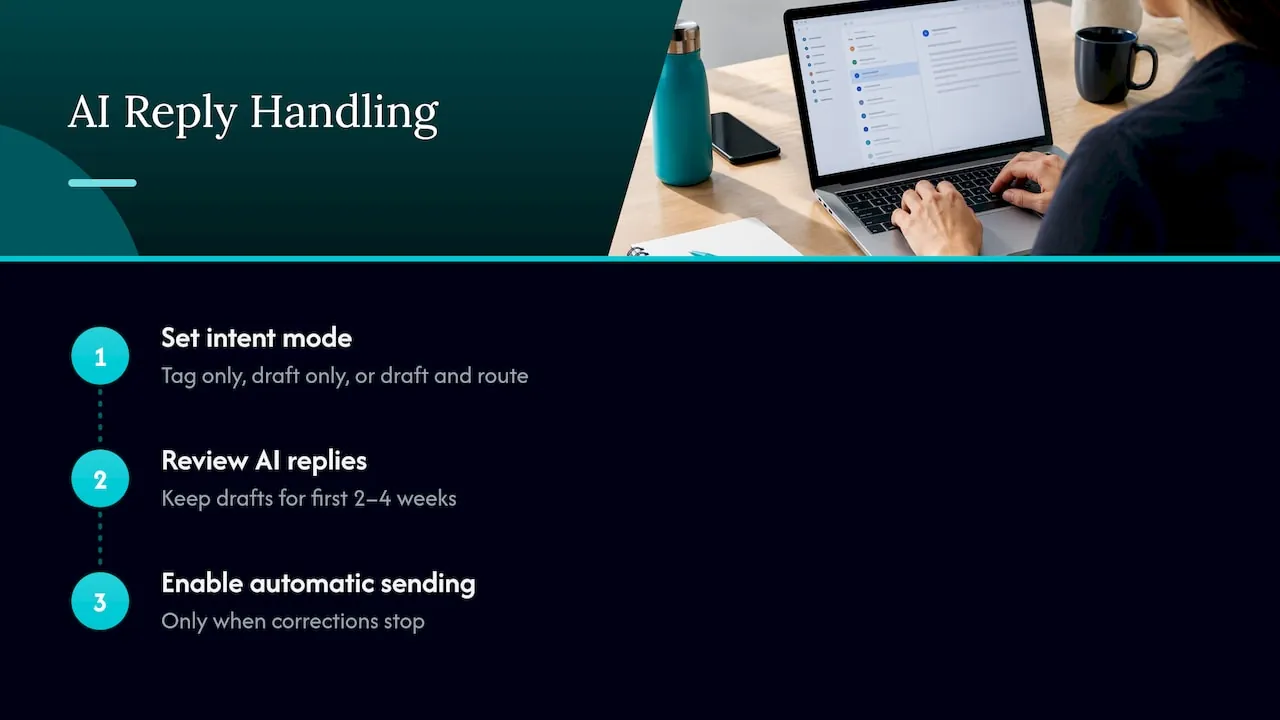
Give each intent a controlled mode: tag only, draft only, or draft and route. Keep outbound AI replies in draft status for the first two to four weeks, so agents can review and correct them. Move an intent to automatic sending only when the corrections stop.
5. Add actions within permissions
Once answers are reliable, let the automation act: update a record, trigger a process, provision access. Each action should run within the permissions of the person or role behind it, require approval where the stakes call for it, and leave an audit trail. An agent that can write to your systems without those controls is a risk, not a saving.
6. Review weekly, expand monthly
Look at misrouted tickets, reopened tickets and agent corrections. Fix the cause, which is often data or documentation, not the model. Then add the next intent.
What to measure
Deflection rate alone flatters. A customer who gives up and writes again later counts as deflected and is a failure. Measure these together, by ticket category:
- Verified automation rate: conversations resolved with an answer from approved knowledge, no agent correction, no request for a person and no reopening in your review window. State the denominator (all tickets, or only eligible ones).
- Escalation rate and handoff quality: how often a ticket reaches a person, and whether the agent receives the context without asking again.
- Time to first response and time to resolution: read together, since a fast reply that does not resolve moves the delay.
- Repeat contacts and reopen rate: the quickest signal of false resolution.
- Customer satisfaction on automated tickets: compared with similar tickets handled by people.
- Cost per verified resolution: the number a COO or CFO can set against the cost of the work.
Be wary of vendor benchmarks quoted without a denominator. Agree your own baseline before you start, and compare against it.
What European rules mean for the design
This is general information, not legal advice. Have your legal adviser or data protection officer review your specific setup.
Tell people when they are talking to an AI. The European Commission states that the AI Act’s transparency rules under Article 50 apply from August 2, 2026, including informing people when they interact directly with an AI system. A support chatbot or AI-drafted reply sent as an automated agent should be labelled accordingly.
Keep a human in reach. As noted above, GDPR Article 22 limits solely automated decisions with significant effects, and expects safeguards such as human intervention. Build an easy path from the automated flow to a person.
Govern your processors. Under GDPR Article 28, a controller that uses a processor must choose one with sufficient guarantees and set the processing out in a binding contract. Every AI vendor that sees ticket content belongs in that review.
Mind NIS2 if it applies to you. NIS2 is the EU directive on network and information security. Whether your company falls under it depends on your sector and size, so check with your adviser. Where it applies, the same audit trail and access controls that make automation safe help you show how your systems are run.
None of these measures guarantees compliance. They make compliance questions easier to answer, because decisions, permissions and data flows are designed and recorded from the start.
Our perspective
Most SaaS companies we talk to already have AI somewhere in support: a chatbot on the site, a draft feature in the help desk, a few people pasting tickets into an assistant. What is missing is an owner. Nobody decides which ticket types AI should touch, nobody checks the answers against the customer’s actual contract, and nobody can say what it saved.
We approach it as an operations problem, not a tooling problem. First the data: CRM and finance data made into one agreed version of the truth, so a ticket can be matched to a real customer with a real plan. Then the AI layer, connected to the assistant your team already uses. Then agents for Customer Success, Finance and Sales that your people use in plain language, to look things up and to act: update a record, trigger a process, provision access. They work within permissions, with approval where needed, and leave an audit trail.
We are equally firm about where AI stays out: disputes, escalations, incidents and anything that needs a person to be accountable. A Fractional Chief AI Officer exists to make those calls, one process at a time, starting with the most expensive. Build, pilot and testing run on self-hosted European infrastructure in Germany, and what we build is yours at handover.
Claus Nielsen
How NordOps Consulting can help
If your support team uses AI but no one owns it, the first step is to find out where it pays. Our AI Readiness Assessment starts from €4,500 and looks at your processes, data and risks before anything is built. A smaller entry point is the AI Snapshot at €2,500 to €3,500 one-off.
For ongoing ownership, the Fractional Chief AI Officer retainer starts from €1,500 per month. Builds are priced at 30% of the first-year saving once it is measured and proven, or at a fixed price agreed before work starts. You can also begin with a free 30-minute discovery call through nordopsconsulting.com.
FAQ
What is the difference between support ticket automation and help desk automation?
The two terms are used almost interchangeably. Ticket automation focuses on what happens to each ticket: classification, routing, replies and closure. Help desk automation is the same idea applied across the wider support environment, including channels and the knowledge base. In both cases, the automation is a layer on top of your ticketing system, not a replacement for it.
What should a SaaS company automate first?
Start with intake, classification and routing using rules, because the signals are structured and the results are easy to check. Then add answers to your 5 to 10 most frequent request types, with drafts reviewed by agents. Leave disputes, escalations and incidents with people.
Does AI in customer support need to be disclosed under the EU AI Act?
The European Commission states that the Act’s transparency rules apply from August 2, 2026, including informing people when they interact directly with an AI system. How this applies to your setup is a question for your legal adviser.
Can an AI agent change records or give customers access?
Yes, when it is designed for it. The agent should act only within the permissions of the role behind it, ask for approval on higher-risk actions, and write every action to an audit trail. Read-only access is not enough for this: the integration must be able to write back to the systems involved.
How do we know it is working?
Track verified resolutions, escalation rate, reopen rate, time to resolution and cost per verified resolution, by ticket category, against a baseline taken before you start. If repeat contacts rise while deflection rises, the automation is closing conversations without solving them.
Sources
- Zendesk: Planning your ticket routing and automated workflows
- EUR-Lex: General Data Protection Regulation, consolidated text
- European Commission: Quick facts on transparency rules for AI systems