Knowledge base integration means connecting your documentation to the systems where your team and customers already work: CRM, support desk, chat, finance and product. Done well, people get the approved answer inside the tool they are using, and AI assistants retrieve current information instead of guessing. Done badly, you copy stale content into more places. The difference comes down to three decisions: which sources are authoritative, who may see what, and how content stays fresh.
This guide is written for founders, COOs and heads of Finance, Sales and Customer Success at B2B SaaS companies with roughly 20 to 200 people. It covers what to connect, how to choose your source of truth, how automation works, how AI can use the result safely, and what European rules mean for the design.
TL;DR
- A knowledge base integration puts approved answers inside CRM records, tickets, chat and AI assistants, so nobody has to switch tools or maintain a second copy.
- Start with a source register: decide which system is authoritative for which type of question, and exclude stale or duplicate content before you connect anything.
- Treat permissions as data. Whatever a user cannot open in the source system, the AI must not retrieve for them.
- Automation should detect gaps and draft updates. A human should approve what gets published.
- Under GDPR and the EU AI Act, design for data location, access control and audit trails from day one, and ask your legal adviser to confirm how they apply to you.
Table of Contents
- What knowledge base integration actually means
- Decide your source of truth first
- How to integrate step by step
- Where knowledge base automation helps
- Letting AI use the knowledge base safely
- Where AI does not belong
- GDPR, NIS2 and the EU AI Act in the design
- Perspective: why we build the data first
- Work with NordOps Consulting
- A checklist before you go live
- FAQ
- Sources
What knowledge base integration actually means
A knowledge base on its own is a library. An integration turns it into a service. Instead of asking people to visit a help center or wiki, the right article or answer appears in a CRM record, a support ticket, a live chat, Slack or Microsoft Teams, or an AI chatbot. One integration overview describes this as bringing relevant articles and documentation into the tools customers, agents and teams already use.
For a SaaS company the payoff is practical:
- Support agents answer faster because the approved article is next to the ticket.
- Customer Success managers see the right onboarding or product guidance on the account they are working on.
- Sales pulls current product and security answers into a deal instead of asking a colleague.
- Customers find answers in the product or in chat before they open a ticket.
- AI assistants retrieve approved content rather than inventing it.
Notice what is missing from that list: a new tool. The best integrations add no new place to look. They remove one.
Decide your source of truth first
Most failed integrations fail before any connector is built. The company has the same pricing rule in a wiki page, a CRM field, a slide deck and a support macro, and the four disagree. Connect all four to an AI assistant and it will cite whichever one ranks highest.
A production knowledge base typically draws on six families of content, according to an architecture guide: document repositories, ticketing systems, code hosts, communication archives, structured systems of record, and external authoritative content. For a SaaS company, the structured systems of record matter most: your CRM and your finance system hold the facts that other content only describes.
Build a source register
Before connecting anything, write one line per repository. Useful fields include:
- Owner, a named person, not a team.
- Audience: internal only, customer-facing, or partner-facing.
- Data classification, including whether it contains personal data.
- Authoritative for which questions, and which sources outrank it when they conflict.
- Review date and retention period.
- How deletions reach the index.
Then exclude what should not be there: outdated drafts, duplicate copies, personal notes, and anything whose owner cannot say whether it is still correct.
Let systems of record win
A simple rule works well: if a fact lives in a structured system, the structured system wins. Contract value, renewal date, plan, invoice status and usage belong in the CRM and finance data. Articles explain how to use or interpret them. They never restate them.
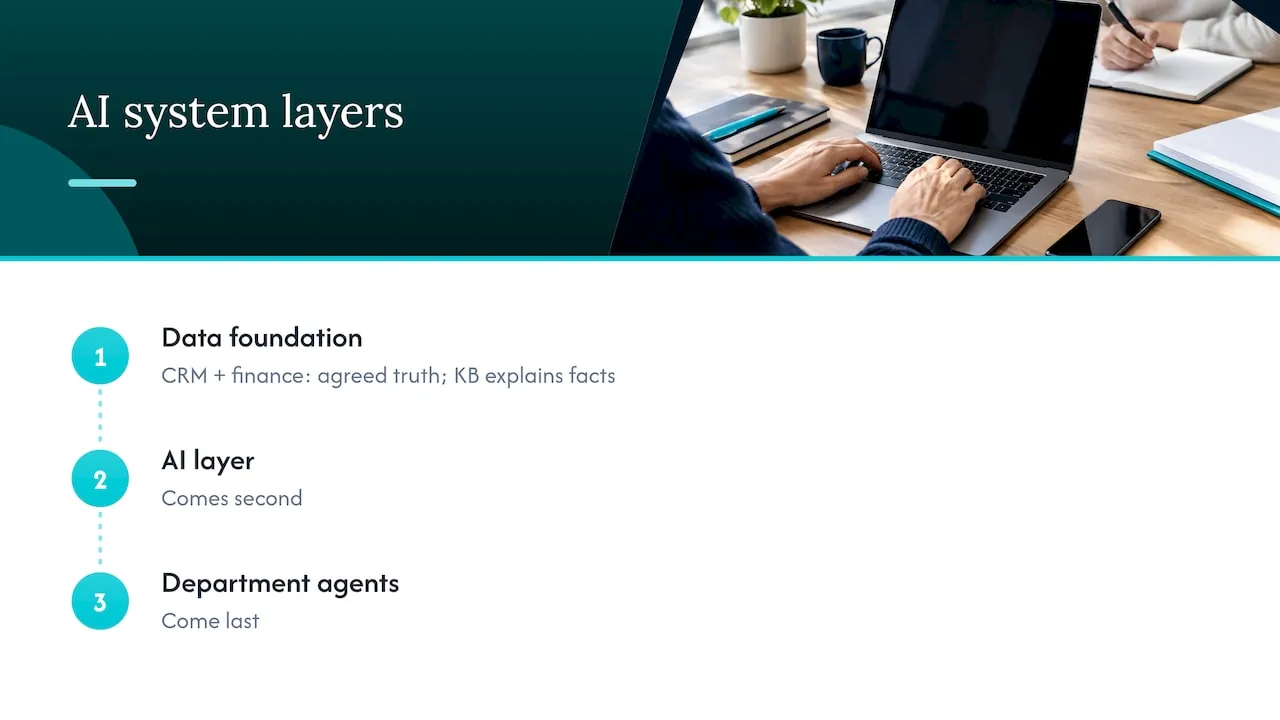
This is the same order we use when we build AI for clients. The data foundation comes first: CRM and finance data as the one agreed version of the truth, prepared by the Processor. The AI layer comes second. Department agents come last. A knowledge base sits inside that structure as the explanatory layer on top of trustworthy data.
How to integrate step by step
A practical sequence, drawing on the layers most production setups share: connectors, transformation, chunking and indexing, then retrieval and generation.
- Inventory and rank sources. Use the register above.
- Connect with the narrowest access. Give each connector the smallest scopes it needs. Read-only unless a workflow truly writes back.
- Clean and transform. Strip navigation clutter, normalize formats, keep titles, owners and dates as metadata.
- Chunk by meaning. Split content at natural boundaries such as a procedure or a policy clause, not at arbitrary character counts.
- Index with metadata. Store source, timestamp, audience and a priority flag so retrieval can favor authoritative content.
- Test retrieval before generation. Ask 50 real questions from your support and sales history and check whether the right passage comes back. Only then add an AI that writes answers.
- Roll out in stages. Internal preview first, then a limited group, then wider use.
Keep freshness and permissions in your acceptance criteria, not in a later cleanup. “It returns the right answer” is not enough. “It returns the right, current answer, and only to people allowed to see it” is the test.
Change management matters as much as connectors. People need to know where answers now come from and who fixes a wrong one. Training in teamwork and collaboration can help teams agree on ownership and keep content synchronized across departments as the setup changes.
Where knowledge base automation helps
Automation is where a knowledge base stops decaying. Most content goes stale not because people are lazy but because nobody is told when the product changed.
The common automation jobs are:
- Drafting new articles from solved tickets, chat transcripts or release notes.
- Capturing answers that appear in Slack threads or support replies.
- Organizing content by tagging it and spotting near-duplicates.
- Serving articles in chat, in the product or through an AI assistant.
- Refreshing content by flagging articles affected by a product change and drafting edits.
The important design choice is where the human sits. A guide on self-updating support content makes the same point: the automatic part is detecting gaps and drafting changes, and a person reviews before anything goes live. We build it the same way. The system proposes, a named owner approves.
One more pattern worth knowing is the loop that writes insight back. Conversations are captured, converted to searchable form, used to answer questions, and the new knowledge is pushed back into the system of record. That loop only works if the system of record is clean to begin with.
For a deeper look at one process where this pays off, see our piece on onboarding automation for B2B SaaS.
Letting AI use the knowledge base safely
An AI assistant connected to your knowledge base can do two things: read and act. Both need guardrails.
Reading: permissions follow the user
The most common serious failure is an assistant that surfaces a document the person asking was never allowed to open. The fix is to treat permissions as data. One engineering write-up on secure integrations recommends that an agent understand and represent the source system’s permission model before it processes any page, and that retrieval filter documents at query time by the current user’s identity. It also advises refreshing access lists as often as content, since a document that was restricted this morning should not be served this afternoon.
Microsoft’s published onboarding runbook for Copilot connectors gives a concrete rule worth copying whatever platform you use: keep access limited to people who already have it rather than “Everyone,” and include at least one negative test against your most sensitive content, such as restricted HR material. If that test returns content, stop the deployment.
Acting: grounded, logged, bounded
When an agent does more than answer, for example updating a record or triggering a process, the pattern is the same. AWS describes a grounded agent workflow in which the agent works out the intent, looks up policy in the knowledge base, calls an action only if the request is eligible, and does all of this within guardrails and with logging. Their guidance on grounding and retrieval adds governance items worth putting on your checklist: source data quality, access control by identity and role, versioning and freshness policies, audit logging and feedback loops for corrections.
Our own design follows the same shape: agents work within permissions, ask for approval where the action matters, and leave an audit trail.
Reducing wrong answers
For questions where you already have a verified answer, you can skip generation entirely. AWS describes a verified semantic cache that returns a curated answer directly when a query closely matches a known question, and falls back to the model only for low-similarity queries. The principle applies broadly: where an approved answer exists, serve it.
Where AI does not belong
Being explicit about limits makes an integration safer and cheaper.
- Pricing, discounts and contract terms. Serve these from the CRM or finance record, or route to a person. Do not let a model paraphrase them.
- Decisions that affect people’s rights or livelihoods, such as hiring or credit assessment. The EU AI Act treats some systems in these areas as high risk, with stricter obligations.
- Legal, tax and medical advice. Retrieval can point to the approved text. It should not interpret it.
- Content nobody owns. If no person can vouch for a document, it does not belong in the index.
- Unreviewed publishing. AI can draft. A human publishes.
- Broad, unscoped access. An assistant that can see everything is a data breach waiting for the right question.
Adopt one process at a time, starting with the most expensive one. Support deflection or sales security questionnaires are often good first candidates because the volume is high and the approved answers already exist.
GDPR, NIS2 and the EU AI Act in the design
If your knowledge base touches personal data of people in the EU, the design should account for European rules from the start rather than after launch. In general terms:
- GDPR applies when personal data of people in the EU is processed. That covers customer names, emails and ticket content inside your index. Think about where data is stored and processed, which providers act as processors and need a data processing agreement, how long content is kept, and how you delete one person’s data from both the source and the index.
- Purpose limitation matters when a vendor is involved. Check that content you index for search is not reused to train a provider’s own models.
- The EU AI Act sets obligations by risk category. Many knowledge base use cases, such as answering product questions, are lower risk, but transparency duties and the high-risk categories still need a look.
- NIS2 concerns cybersecurity risk management for entities in scope. Whether your company is in scope is a question for your legal adviser.
These frameworks overlap in practice. Access control, logging and documented risk assessments serve several of them at once. None of this is legal advice, and no architecture guarantees compliance. Have your counsel or data protection officer confirm what applies to you. Our AI governance framework for B2B SaaS goes through the practical side.
Perspective: why we build the data first
We are asked about knowledge bases when something has already gone wrong: an assistant quoted last year’s pricing, a support agent pasted an answer that contradicted the contract, or someone found an internal document in a chat answer.
In almost every case the knowledge base was not the problem. The problem was that nobody owned the truth. The CRM said one thing, the finance system another, and the wiki a third. Connecting an AI assistant to all three simply made the disagreement faster.
That is why we work in a fixed order. First the data foundation: CRM and finance data made into one agreed version of the truth. Then the AI layer, connecting that data to the assistant your company already uses. Then department agents for Finance, Sales and Customer Success that your own people use in plain language, within permissions, with approval where it matters and an audit trail.
We also say where AI should stay out: contract terms, decisions about people, and any content without an owner. A knowledge base is useful when it is narrow, current and permissioned. It is a liability when it is large and unowned.
The company keeps what we build: source code, documentation and infrastructure transfer at handover, and build, pilot and testing run on self-hosted European infrastructure in Germany.
Claus Nielsen
Work with NordOps Consulting
If your team already uses AI but nobody owns it, the first step is usually a clear picture of your data and where AI pays. Our AI Readiness Assessment starts from €4,500 and looks at your data foundation, your processes and your regulatory position. For ongoing ownership, the Fractional Chief AI Officer retainer starts from €1,500 per month in the Advisor level, from €3,250 in the Operating level and from €5,500 in the Embedded level.
Builds are priced at 30% of the first-year saving, once measured and proven, or at a fixed price agreed before work starts. You can see the full list on the pricing page, or start with a free 30-minute discovery call. Our AI agents for Finance, Sales and Customer Success show what the department layer looks like once the data is in order.
A checklist before you go live
- Every source has a named owner, an audience and a review date.
- For each question type, one source is marked authoritative.
- Connectors use the narrowest scopes and read-only access by default.
- Permissions sync as often as content, and deletions reach the index.
- A negative test against your most sensitive content passes.
- Retrieval is tested on real questions before any model writes answers.
- AI drafts, humans publish.
- Actions are logged and need approval where the stakes are high.
- Data location, processors and retention are documented and reviewed by your legal adviser.
- Someone owns the thing after launch.
FAQ
What is the purpose of a knowledge base integration?
It puts approved answers inside the tools people already use, such as CRM, support desk, chat and AI assistants. That saves time switching between tools and avoids maintaining duplicate copies. It also gives AI a controlled source to retrieve from.
What can a knowledge base connect to?
Common sources are document repositories, ticketing systems, communication tools, code hosts and structured systems of record such as CRM and finance. For SaaS companies, the systems of record should be the authority for facts like plan, price and renewal date. Articles explain, and records state.
Can knowledge base updates be fully automated?
Detection and drafting can be automated: spotting gaps, proposing new articles and flagging stale ones. Publishing should stay with a named reviewer, especially for anything customer-facing or anything an AI will quote.
How do we stop an AI assistant from exposing restricted documents?
Carry the source system’s permissions into the index and filter results by the identity of the person asking. Refresh permissions as often as content, and run a negative test on your most sensitive material before launch.
Does this need a legal review in Europe?
Yes, in practice. GDPR, NIS2 and the EU AI Act can each apply depending on your data and your use case. A legal adviser or data protection officer should confirm what applies to you.
Sources
- Knowledge base integrations: architecture and testing
- Enterprise Knowledge Base for AI: Architecture Guide
- AI Support Knowledge Base That Updates Itself
- Build Secure Knowledge Base Integrations for AI Agents (DZone)
- Microsoft Copilot Connector Knowledge Onboarding Runbook
- AWS Prescriptive Guidance: Grounded agent AI workflow
- AWS Prescriptive Guidance: Grounding and Retrieval Augmented Generation
- AWS Machine Learning Blog: Reducing hallucinations with a verified semantic cache