Role-based access control (RBAC) is a way of deciding who can do what in a system by attaching permissions to roles, then assigning people to those roles. Nobody gets permissions one by one. A salesperson, a finance controller and a support lead each get the access their job needs, and nothing more. This guide explains how RBAC works, how to design roles that stay manageable, when attribute-based access control (ABAC) is the better fit, and what changes when AI agents start reading and writing your company data.
TL;DR
- RBAC grants permissions to roles, not to individuals. Users get access only through the roles they hold.
- Design roles from business functions and workflows, not from the menus of each application.
- Most failures come from role explosion and stale access, so assign role owners, review access on a schedule and remove old access when people change jobs.
- RBAC is the baseline. ABAC adds context such as amount, location or time on top of it.
- AI agents should inherit the same roles and permissions as the people who use them, with approval steps and an audit trail.
Table of Contents
- What role-based access control is
- How RBAC works: the three rules and four components
- How to design roles that stay manageable
- RBAC best practices for the long term
- RBAC vs ABAC: which one do you need?
- Internal tools and RBAC
- RBAC when AI agents enter the picture
- Perspective
- Where NordOps Consulting fits
- FAQ
- Sources
What role-based access control is
RBAC is a model for authorizing access to systems, applications and data based on a user’s predefined role. IBM describes it as an administrator assigning each user one or more roles, with each role representing a set of permissions or privileges.
The defining feature is that all access runs through roles. According to the NIST Computer Security Resource Center FAQ, a role is essentially a collection of permissions, and users receive permissions only through the roles they are assigned or inherit through a role hierarchy. That is what separates RBAC from ordinary groups, where permissions can be tied to both users and groups. NIST notes that this creates a loophole that makes user-permission relationships hard to control.
A concrete example for a SaaS company:
| Role | Typical access in CRM | Typical access in finance system | Typical access in product admin |
|---|---|---|---|
| Account Executive | Own accounts and deals, read and write | None | None |
| Sales Manager | Team accounts, forecast views | Read-only invoice status | None |
| Finance Controller | Read-only account data | Full invoicing and reporting | None |
| Customer Success Manager | Assigned accounts, renewal fields | Read-only invoice status | Limited tenant settings |
| Support Engineer | Read-only account contacts | None | Tenant diagnostics |
| Administrator | Configuration | Configuration | Full |
When a new account executive joins, you assign one role. You do not recreate a dozen individual permission choices.
How RBAC works: the three rules and four components
The NIST model rests on three rules, as laid out in the NIST publication Role Engineering: Methods and Standards:
- Role assignment. A user can use a permission only if the user has been assigned a role.
- Role authorization. The user’s active role must be authorized for that user.
- Permission authorization. A user can use a permission only if it is authorized for the user’s active role.
The same publication records that NIST proposed a unified RBAC model in 2000, and that it was approved in 2004 as the U.S. national standard INCITS 359-2004.
That standard has four components, per the ANSI INCITS 359-2004 document:
- Core RBAC: the minimum set of elements and relations: users, roles, permissions and sessions.
- Hierarchical RBAC: roles can inherit from other roles, so a manager role can include everything a team member role has.
- Static separation of duty: prevents conflicting roles from being assigned to the same person.
- Dynamic separation of duty: allows a person to hold conflicting roles but prevents activating them at the same time.
Separation of duty matters most in finance. The person who creates a vendor payment should not be the person who approves it. Static separation of duty enforces that at assignment time, which is the simplest and most auditable way to do it.
How to design roles that stay manageable
Design is where most RBAC projects succeed or fail. A role set that mirrors how the business works is easy to explain and review. A role set that mirrors the checkboxes of each tool becomes a maze.
Start from business functions
IBM’s implementation guidance says the most robust designs start from business functions and workflows, not application menus. Instead of asking which boxes to tick in the CRM, ask what a salesperson actually does, then express those activities as role definitions that can be mapped onto multiple systems.
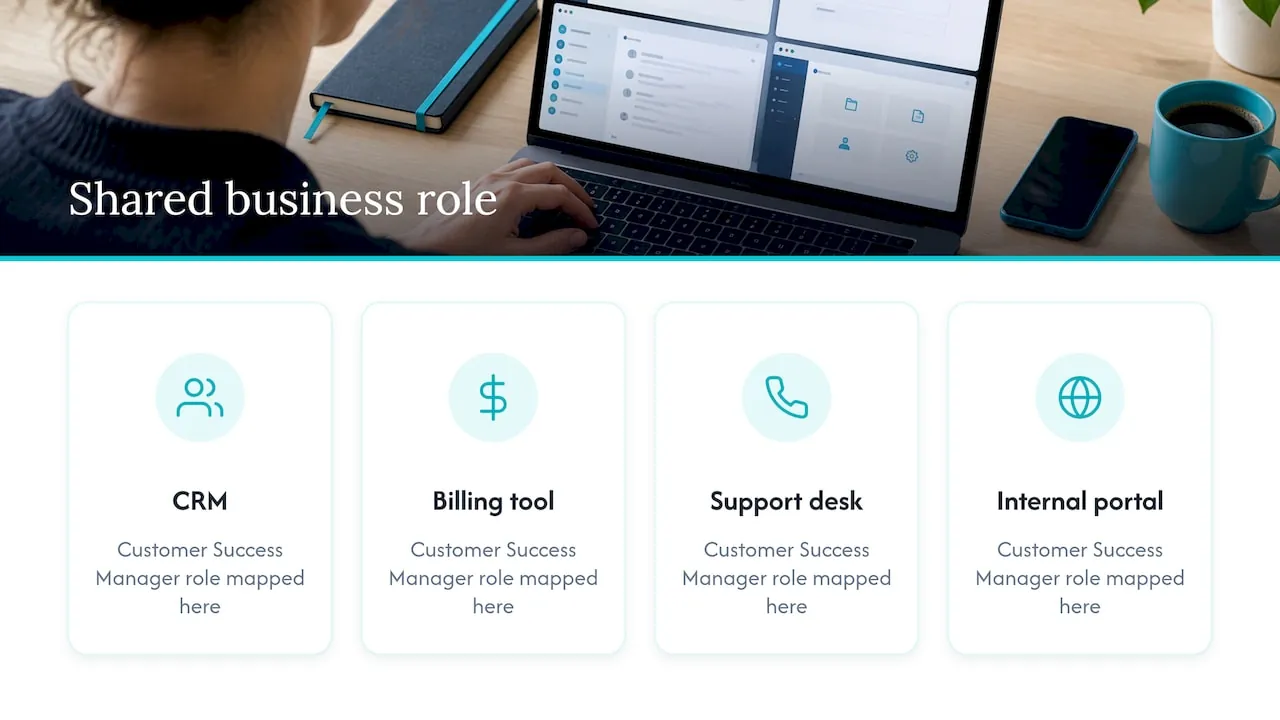
That last point is practical. A “Customer Success Manager” role should mean the same thing across your CRM, billing tool, support desk and any internal portal. You define it once as a business role, then map it to each system.
Choose a role engineering approach
The NIST role engineering publication describes three approaches:
- Top-down: subject matter experts name the roles and attach permissions from a clean slate. The difficulty NIST points out is assembling those experts for the time required.
- Bottom-up: permissions are aggregated into roles from existing access data.
- Hybrid: both together.
Oracle’s identity documentation also recommends the hybrid approach for role mining. For a company with 20 to 200 people, hybrid is usually realistic. Spend a few hours with the head of each function to draft roles, then export current permissions from your CRM and finance system and see where reality differs. Combining the two avoids roles that are too theoretical and avoids building roles around a few outliers.
A practical sequence
- Inventory systems and data. List the systems that hold customer, revenue and product data, and mark which records are sensitive.
- Draft roles per function. Start with broad categories. IBM notes that organizations often begin by separating administrators, specialists or expert users, and end users.
- Export actual permissions. Pull current access per person from each system and cluster similar patterns.
- Reconcile. Where someone has far more access than their draft role, decide whether the role is wrong or the person has accumulated access they should lose.
- Name an owner for each role. One person is responsible for what the role contains.
- Apply, then review. Move people onto roles, remove direct permissions, and schedule the first review.
RBAC best practices for the long term
IBM’s guidance is that the long-term health of RBAC depends on governance: periodic access reviews focused on exceptions and outliers, joiner-mover-leaver processes that change roles automatically from HR events, and time-limited, approved exceptions for unusual access.
Apply least privilege through design
An enterprise RBAC best-practices guide from Avatier lists four mechanisms that produce least privilege:
- Right-size at design: roles carry only what their function needs.
- Substitute on move: when someone changes jobs, remove the old role’s access as you grant the new one.
- Time-box the sensitive: replace standing high-privilege access with just-in-time elevation.
- Recertify to catch drift: review periodically to find over-privilege.
The second one is the most commonly missed. People who change teams collect access. After two or three moves, a customer success manager can hold sales pipeline and billing rights nobody intended.
Prevent role explosion
The same source calls role explosion the dominant failure mode: a new bespoke role for every edge case. Prevention is cheaper than cleanup. Give each role an owner, prefer combining existing roles over minting new ones, and recertify on a schedule. A useful test: if a proposed role would have only one holder, it is probably an exception, not a role. Handle it as a time-limited, approved exception.
Keep maintenance small
Okta points out that RBAC does not require intensive maintenance: permissions follow roles, so a new job function becomes a new role applied to many people with little administrator effort. That only holds if the role set stays small and clean, which is why ownership and review matter.
A short checklist
- Every role has a named owner and a plain-language description.
- No permissions are assigned directly to individuals.
- Conflicting duties (create and approve payments, for example) are separated.
- Role changes are triggered by hiring, moves and departures.
- High-privilege access is temporary and approved.
- Someone reviews exceptions and outliers on a set schedule.
RBAC vs ABAC: which one do you need?
ABAC decides access by evaluating attributes of the user, the resource, the action and sometimes the environment against policy. NIST SP 800-162 defines it this way, and notes that ACLs and RBAC are in some ways special cases of ABAC in terms of the attributes used.
In plain terms: RBAC asks “what is your job?” ABAC asks “what is your job, what are you touching, how much is at stake and from where?”
Okta’s comparison says RBAC suits small, simply structured workgroups and environments with clearly defined job functions. ABAC fits geographically diverse or time-defined workgroups, and cases where access needs change by document rather than by role.
| Question | RBAC | ABAC |
|---|---|---|
| Basis for the decision | Role | Attributes of user, resource, action, context |
| Easiest to explain to an auditor | Yes | Takes more effort |
| Handles “only deals under a set amount” | Awkward, tends to add roles | Natural |
| Handles “only accounts in your region” | Needs a role per region | Natural |
| Setup effort | Lower | Higher |
Most growing SaaS companies do not choose one. Okta’s identity team notes that many organizations use a hybrid: RBAC for broad access tiers and ABAC for fine-grained controls. Avatier makes the same point from the other side: RBAC is the baseline, and context-sensitive decisions such as time, location, amount or device belong to ABAC layered on top. The practical rule is to start with RBAC, and add attribute rules only where role count would otherwise multiply, such as regional or deal-size limits.
Internal tools and RBAC
Internal tools are where access control quietly fails. A spreadsheet export from the CRM, an admin panel built by one engineer, a finance dashboard shared by link: each is a place where roles are bypassed. Three habits help:
- One source of identity. Sign-in and roles come from your identity provider, not from separate user lists in each tool.
- Roles defined once, mapped everywhere. The business role is the unit, and each tool’s local permissions are derived from it.
- Logs you can read. Every read and write of sensitive records leaves an entry showing who, what and when.
If you build or buy internal portals, ask how roles are defined, who can change them, and whether changes are logged. These are the questions a security reviewer or customer questionnaire will ask.
RBAC when AI agents enter the picture
AI changes the access question in one specific way: an assistant or agent can reach across many systems in one request. If it is connected with a broad service account, it can return data the person asking was never allowed to see.
The fix is not a new security model. It is applying the one you have:
- The agent acts as the user. It receives the permissions of the person’s role, never more.
- Reads and writes are separated. Pulling data (asking, reporting, looking up) is one permission. Pushing data (updating records, triggering processes, provisioning access) is another, usually narrower.
- Approval where it matters. Actions that change money, contracts or access wait for a human to confirm.
- Everything is logged. An audit trail records which person, through which agent, did what.
There is also a place where AI does not belong: deciding who gets access. Granting, changing and approving roles should stay with named people following your policy. An agent can prepare a review list or flag outliers, but a person owns the decision.
Regulation points the same way. GDPR, NIS2 and the EU AI Act all touch how data and systems are controlled, and well-designed access control is one common building block when companies work on them. RBAC does not make a company compliant by itself, and this article is not legal advice. Ask your counsel what applies to you.
For more on how governance and AI fit together, see our AI governance framework for B2B SaaS companies.
Perspective
We see the same pattern in SaaS companies of 20 to 200 people. Roles were never designed. Access grew with each new tool, and then AI arrived and started reading across all of it.
That is why we build in a fixed order. First the data foundation: your CRM and finance data as the agreed source of truth, with roles that mean the same thing in every system. Then the AI layer, connecting that data to the assistant your team already uses. Then department agents for Finance, Sales and Customer Success. Each layer inherits the access rules of the one below it.
Our view is that an agent should never be more trusted than the person using it. It works within that person’s permissions, asks for approval where an action matters, and leaves an audit trail. Role design is not a side task of an AI project. It is the first piece of it.
Claus Nielsen
Where NordOps Consulting fits
If your team already uses AI but nobody owns how it touches your data, access design is a good first place to start. NordOps Consulting works as a Fractional Chief AI Officer for B2B SaaS companies in Europe: one named person who decides where AI pays, sets up the data foundation, and builds agents your people use in plain language, within permissions and with an audit trail.
The AI Readiness Assessment is a defined starting point, from €4,500. For ongoing ownership, the Fractional CAIO retainer starts from €1,500 per month. You can also begin with a free 30-minute discovery call through our site. To see how the work is staged, read how it works, or look at the Admin Portal, where user roles and access are managed alongside the agents.
FAQ
What is the difference between a role and a permission?
A permission is a single allowed action on a resource, such as reading an invoice or editing a deal. A role is a named collection of permissions that matches a job function. Users are assigned roles, and the roles carry the permissions.
Is RBAC enough, or do I need ABAC?
For most teams, RBAC is the right starting point because it is simple to explain and audit. Add ABAC rules only when context matters, such as limiting access by region, deal size or time. Many organizations run both, with RBAC for broad tiers and ABAC for fine detail.
How many roles should a company have?
There is no standard number. Keep roles tied to real job functions, give each an owner, and treat one-off needs as time-limited exceptions. If a role would have a single holder, that is a sign it is an exception and not a role.
How often should roles and access be reviewed?
Set a regular schedule and review on top of it whenever someone changes jobs or leaves. IBM’s guidance recommends periodic access reviews focused on exceptions and outliers, and automated changes triggered by HR events. Pick a rhythm your team can keep, since a missed review is worse than a lighter one.
How should AI agents be handled in an RBAC model?
Treat them as acting on behalf of a person, with that person’s role and no more. Separate read and write permissions, require approval for sensitive actions, and keep a log of every action. Decisions about who gets access should stay with people.
Sources
- NIST CSRC: Role Based Access Control FAQs
- NIST: Role Engineering: Methods and Standards
- ANSI INCITS 359-2004 standard
- IBM: What Is Role-Based Access Control
- IBM: RBAC Implementation Guide
- Oracle: Role Engineering and Management
- Avatier: Enterprise RBAC Implementation Best Practices
- Okta: What Is Role-Based Access Control
- Okta: RBAC vs. ABAC
- NIST SP 800-162: Guide to ABAC